
Manufacturing
Make it, track it.
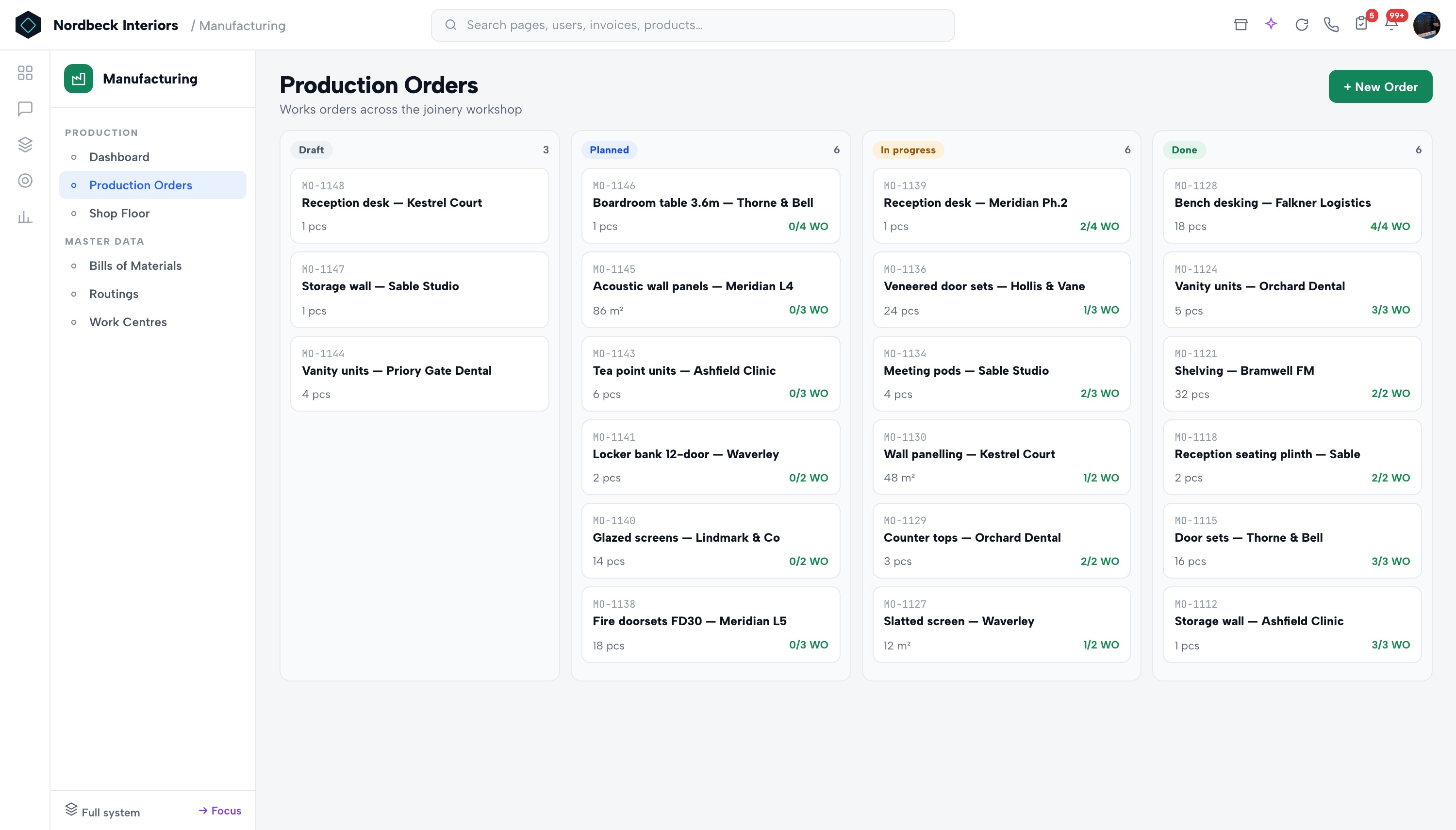
Production orders, BOMs, routings and work centres with a shop-floor console — OEE, WIP, scrap rate and first-pass yield on the dashboard.
20 minutes, on your real workflow — not a generic tour.
Takes under a minute · no credit card
Production orders & work orders
Built into the same connected record the rest of Neonbee runs on — switched on in a click, no integration project.
See it liveBills of Materials with costed versions
Captured once, visible everywhere — the data flows to every module that needs it, with no re-keying and no versions of the truth.
See it liveRoutings & work centres
And because it's native, Neura can watch it, summarise it and act on it — always with your approval.
See it liveNot another tool to integrate.
Manufacturing shares the same record as every other module — so the work flows through without re-keying, nothing is entered twice, and Neura can watch it, summarise it and act on it with your approval.
Chosen by teams in interior design, facilities management, furniture manufacturing and professional services.
What most teams ask before the demo.
Straight answers — and anything we haven't covered, ask us live on the call.
Ask us directlyHow long does it take to get live?
Most teams are up in 3–5 days. We configure your trade settings, migrate your customers, products and open jobs, and train your team in two 45-minute sessions.
Can we keep using our existing accounting tool?
Yes. Neonbee has a complete double-entry accounting engine built in, but we also sync 2-way with QuickBooks, Xero, Sage and Tally if you prefer to keep your accountant where they are.
Does the AI act on its own?
Neura has two modes: Assist (answers, drafts, summaries) and Execute (real actions through agents). Every Execute action lands as an approval card — nothing runs without your sign-off, and everything is audited.
Is our data used to train AI models?
No. Your data stays yours — it is never shared or sold, and Neura reasons over it privately to help your business only.
What if we only need a few modules?
That's the normal path. All 20 Operations modules share one record, but you switch on only what you need and add the rest when you're ready — pricing follows what you use.