
Frontline mobile operations for site crews — geofenced clock-in, digital job packs, and voice timesheets.
Built for field service engineers, installation crews, and site supervisors. Eliminate missing paperwork, lost site access codes, and payroll timesheet arguments.
See AI Workmate · Crew on your real workflow
A 20-minute tailored walkthrough on your real workflow. Pick a time on our calendar or we'll email you by tomorrow morning.
How it actually runs on site, step by step
Zero abstract features. Click through the 3 operational stages to see how your field crew, office managers, and clients interact with AI Workmate · Crew.
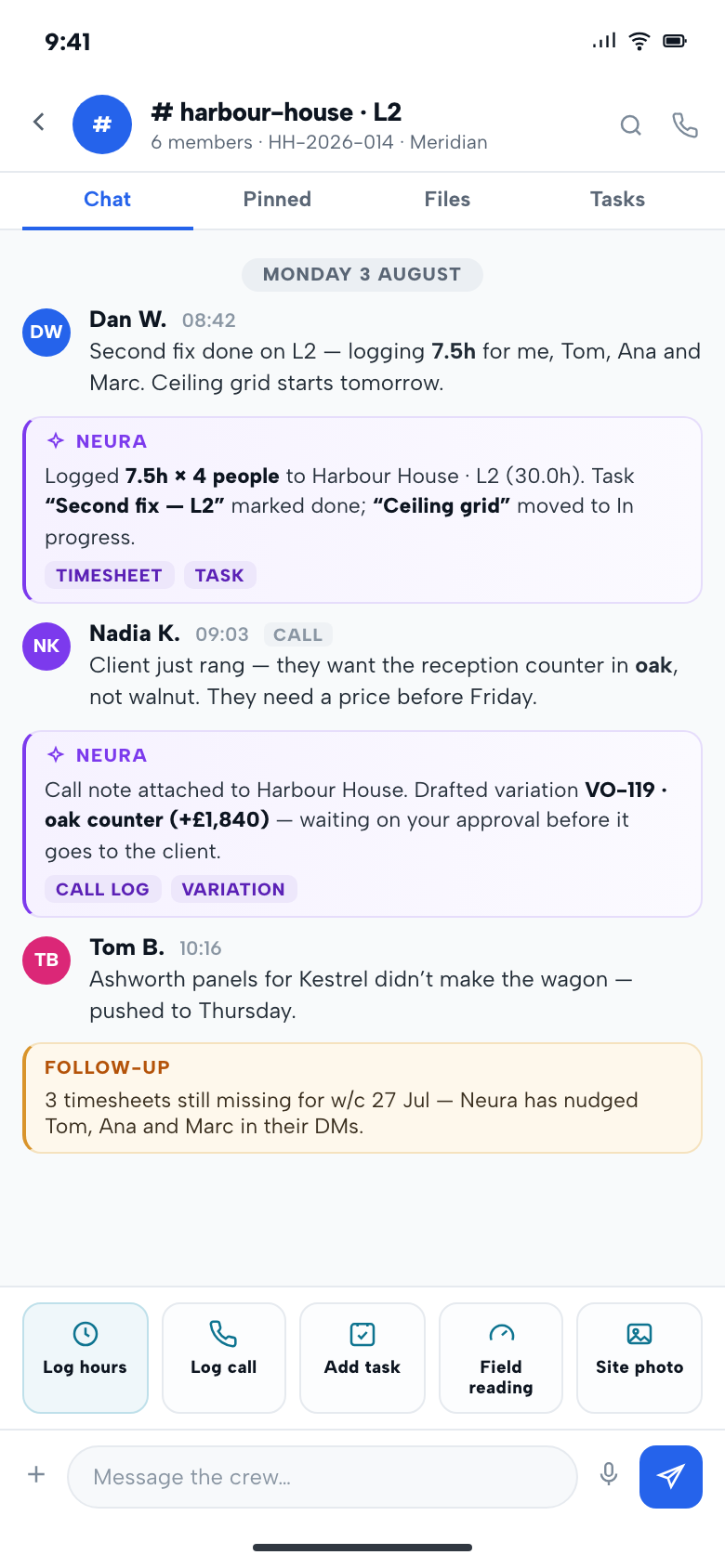
Geofenced Site Clock-In
Operative arrives on site and taps Clock In. GPS confirms they are within the job site boundary and starts the digital cost timer.
Eliminating paper timesheets, missing site documentation, and manual progress phone calls saves over £4,200 annually in recovered labor capacity per mobile operative.
Built for every person on your job
Software fails when it only solves problems for the office. See how AI Workmate · Crew works for site supervisors, project managers, and business owners simultaneously.
For the Field Operative / Technician
- No more driving back to the office on Friday to hand in crumpled paper timesheets
- Access gate codes, site contact numbers, and electrical drawings in your pocket
- Voice-record your daily handover notes in 20 seconds while walking to the van
For the Dispatcher / Project Manager
- See who is currently on site, who is en route, and which jobs are behind schedule
- Approve timesheets with verified GPS location data; zero payroll arguments
- Daily progress logs update project milestones automatically without phone calls
For the Business Owner / MD
- Exact labor hours allocated to specific jobs ensure tenders remain profitable
- Signed RAMS and safety acknowledgments protect against health and safety liabilities
- Scale from 5 to 50 field operatives without hiring additional office administrators
What most teams ask before the demo.
Straight answers — and anything we haven't covered, ask us live on the call.
Ask us directlyDoes the app track technicians' personal location outside work hours?
Never. GPS coordinates are only sampled at the exact moment a technician clocks in, clocks out, or logs a site job ticket. Background tracking is disabled when off the clock to respect employee privacy.
Does it work on standard Android and iPhone smartphones?
Yes. The Crew mobile app runs smoothly on all modern iOS and Android devices and requires minimal storage and battery consumption.
Can technicians take progress photos and attach them to timesheets?
Yes. Operatives can attach timestamped progress photos and equipment serial photos directly to their daily work logs.
How does payroll export work for our accounts team?
Approved timesheets export cleanly categorized by normal hours, overtime rates, and travel allowances for direct import into Xero Payroll, Sage, or CSV.